
mDoğa2.2.4 - Google Play
You'll be able to see results in few seconds.
Publisher Description

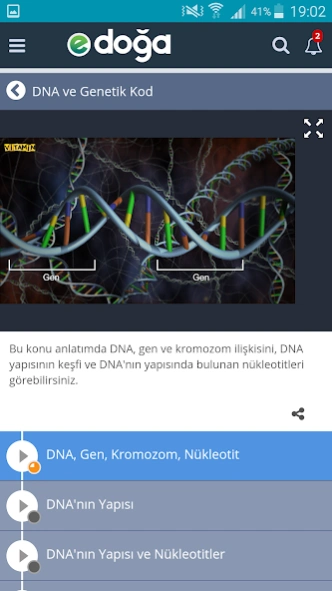


Based Business Association New Generation Learning Management System
Turkey's first "Based Business Association New Generation Learning Management System" mdog the Nature College, all educational, administrative and production-based processes "Academic Backbone" which integrates the structure and a comprehensive learning solution that provides management from a single point.
mdog to, offered as an integrated process management and total benefit to learning outside the bounds of the school is unique in its structure, enabling them to continue uninterrupted.
Educational process of "Data-Driven Integrated Decision Support System" yl completed mdog to provide a full personalization in education of each student's specific learning environment. Restrict their learning to the classroom, cooperative and accelerate alignment with the dynamic new educational approach. Subtracting student performance and senior teachers' competencies in total It supports the success of management.
Free mdog application can be downloaded by anyone but its use requires institutional membership of the school.
About mDoğa
The company that develops mDoğa is Doğa Koleji. The latest version released by its developer is 2.2.4.
To install mDoğa on your Android device, just click the green Continue To App button above to start the installation process. The app is listed on our website since 2026-09-18 and was downloaded 0 times. We have already checked if the download link is safe, however for your own protection we recommend that you scan the downloaded app with your antivirus. Your antivirus may detect the mDoğa as malware if the download link to com.dogakoleji.mdoga is broken.
How to install mDoğa on your Android device:
- Click on the Continue To App button on our website. This will redirect you to Google Play.
- Once the mDoğa is shown in the Google Play listing of your Android device, you can start its download and installation. Tap on the Install button located below the search bar and to the right of the app icon.
- A pop-up window with the permissions required by mDoğa will be shown. Click on Accept to continue the process.
- mDoğa will be downloaded onto your device, displaying a progress. Once the download completes, the installation will start and you'll get a notification after the installation is finished.
Program Details
System requirements
Download information
Pricing
Version History
version 2.2.4
posted on 2026-09-18
Sistem iyileştirmeleri yapıldı.
version 2.0.8
posted on 2023-05-29
Disclaimer
Official Google Play Link
We do not host mDoğa on our servers. We did not scan it for viruses, adware, spyware or other type of malware. This app is hosted by Google and passed their terms and conditions to be listed there. We recommend caution when installing it.
The Google Play link for mDoğa is provided to you by apps112.com without any warranties, representations or guarantees of any kind, so access it at your own risk.
If you have questions regarding this particular app contact the publisher directly. For questions about the functionalities of apps112.com contact us.
